v2.1.1 · Mullion Terminal & Windows fixes →

Your whole local dev stack, one binary.

Mullion serves PHP and Node projects on .test domains with trusted HTTPS. It also manages PHP, Node, MySQL, PostgreSQL and MongoDB, with a panel for every project. It runs on macOS and Windows, with no Docker or config files.

Mullion
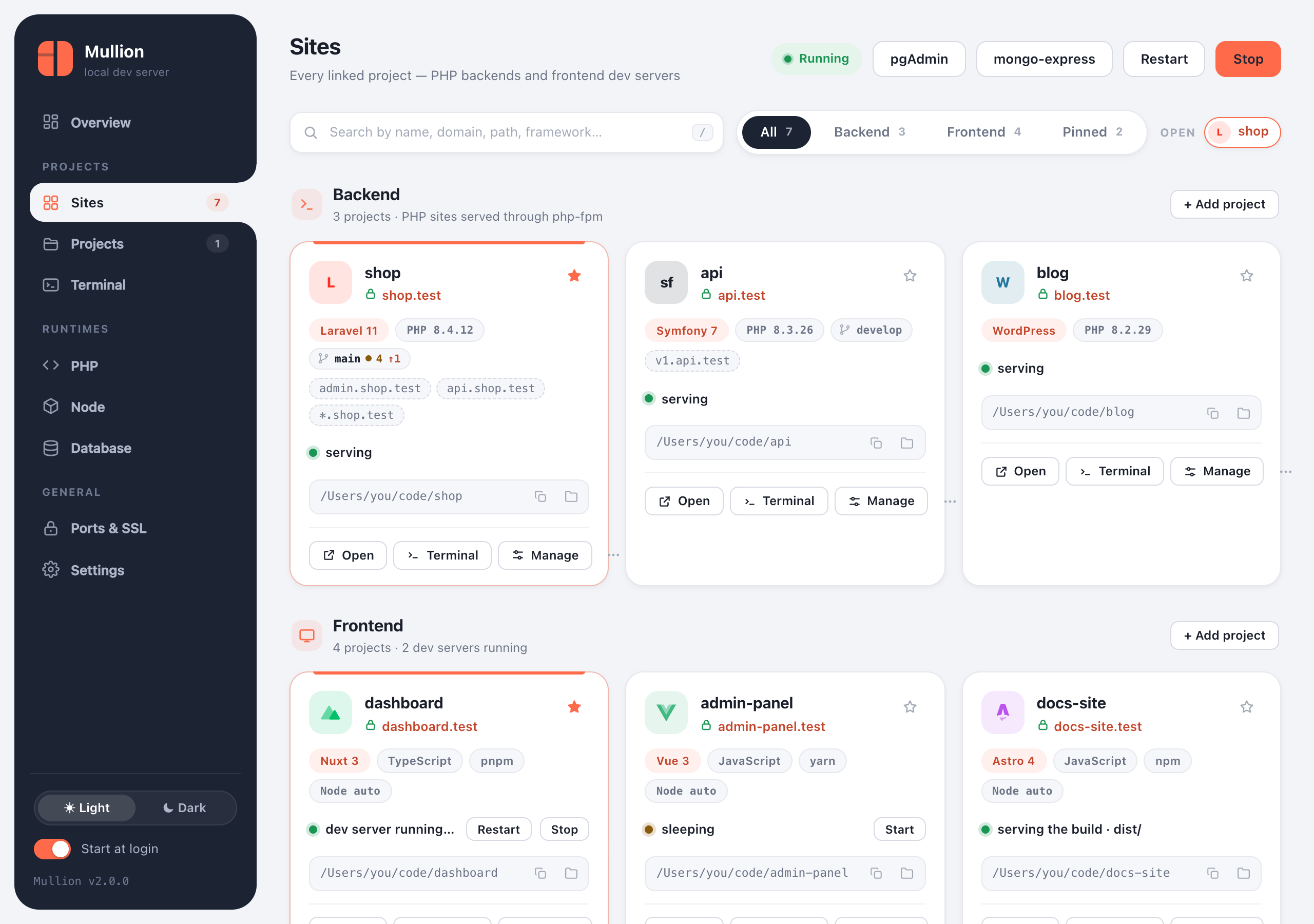
The Mullion control panel: linked projects as cards with framework badges, domains and status
Features

Everything a project needs, already running

Laravel and Symfony next to Nuxt and Next.js, each with its own domain and runtime version.

A domain per project

mullion link in any folder serves it at https://<name>.test, with subdomain aliases and wildcards.

Learn more →

Trusted HTTPS

Caddy's local certificate authority, trusted once, gives every site a real padlock.

Learn more →

Wake on demand

Frontend dev servers start when you open their link and go to sleep when you stop using them.

Learn more →

A page for every project

Commands, workers, packages, Git, a terminal and domains for each project.

Learn more →

Built-in terminal

Tabs, the project's own PHP and Node on PATH, and suggestions for scripts, artisan commands and branches.

Learn more →

Git, built in

Diff, stage, commit, pull (rebase or fast-forward only), push, branches, history, stashes and conflicts.

Learn more →

Three databases

MySQL/MariaDB, PostgreSQL and MongoDB, with phpMyAdmin, pgAdmin 4, mongo-express and backups.

Learn more →

PHP & Node versions

Any version side by side, set globally, per project or from .nvmrc, with extensions, php.ini and npm.

Learn more →

Supervised workers

Queue workers, the scheduler, Horizon and Reverb: autostarted, and restarted after a crash.

Learn more →

Ports & SSL

Every port and who holds it. Move ports that clash, and manage the CA and wildcard DNS.

Learn more →

Native app

Mullion.app on macOS with native window tabs; an app window and tray icon on Windows.

Learn more →

Self-diagnosing

mullion doctor checks the whole stack and says how to fix what it finds.

Learn more →
Project page

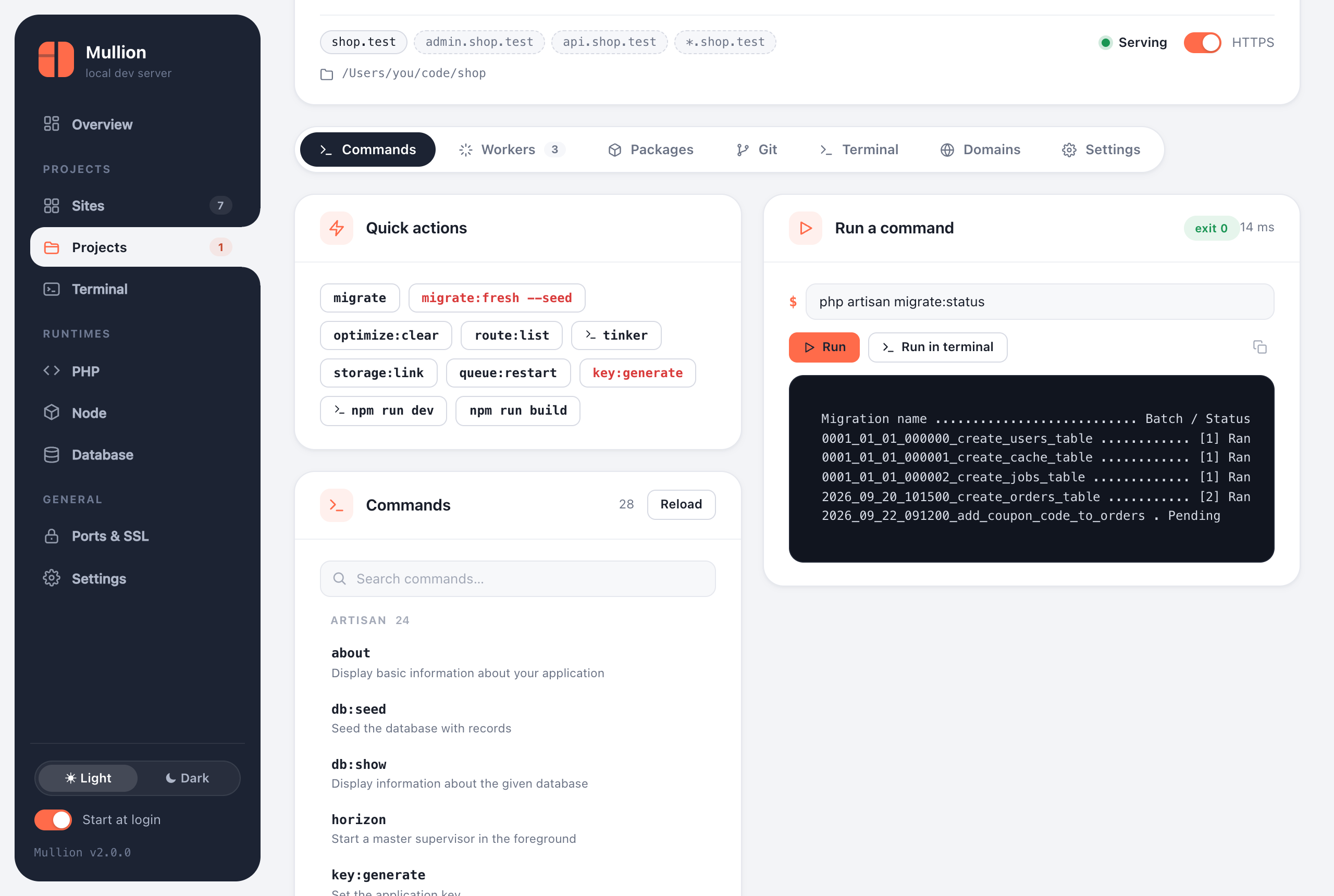
Run commands with live output

The Commands tab lists the project's artisan or bin/console commands, npm scripts and Composer scripts. Commands run with the project's own PHP and Node, and the output streams in live.

  • Quick actions and favorites
  • Interactive commands go to a terminal tab
  • mullion run shop -- php artisan migrate from a shell
The Commands tab running php artisan migrate:status
Git

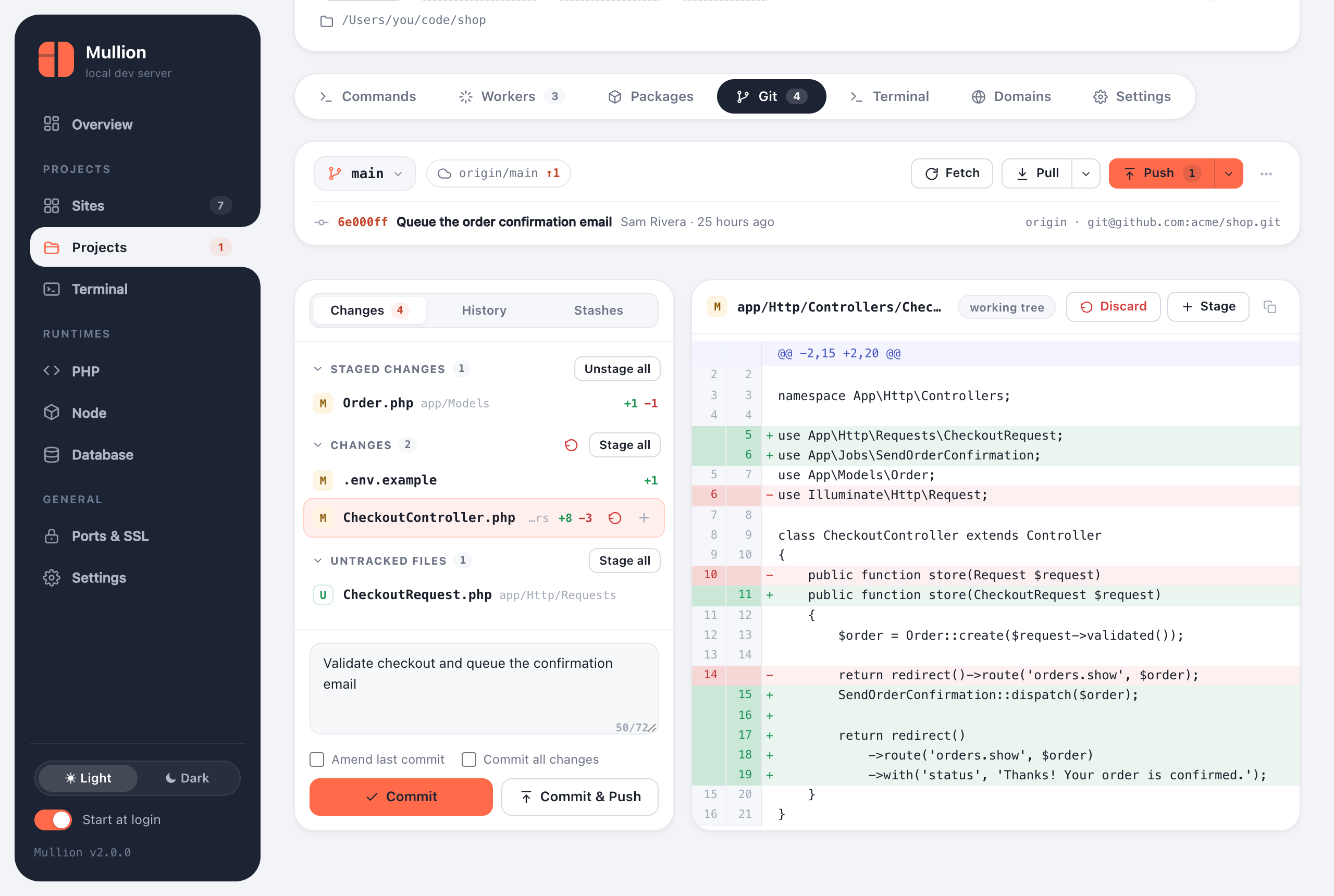
Review, commit and push without leaving the panel

Staged, unstaged and untracked files, a side-by-side diff, commit or amend, and Commit & Push. Branches, history, stashes, and a banner for merge and rebase conflicts.

Git in Mullion →
The Git tab with a diff of CheckoutController.php
Terminal

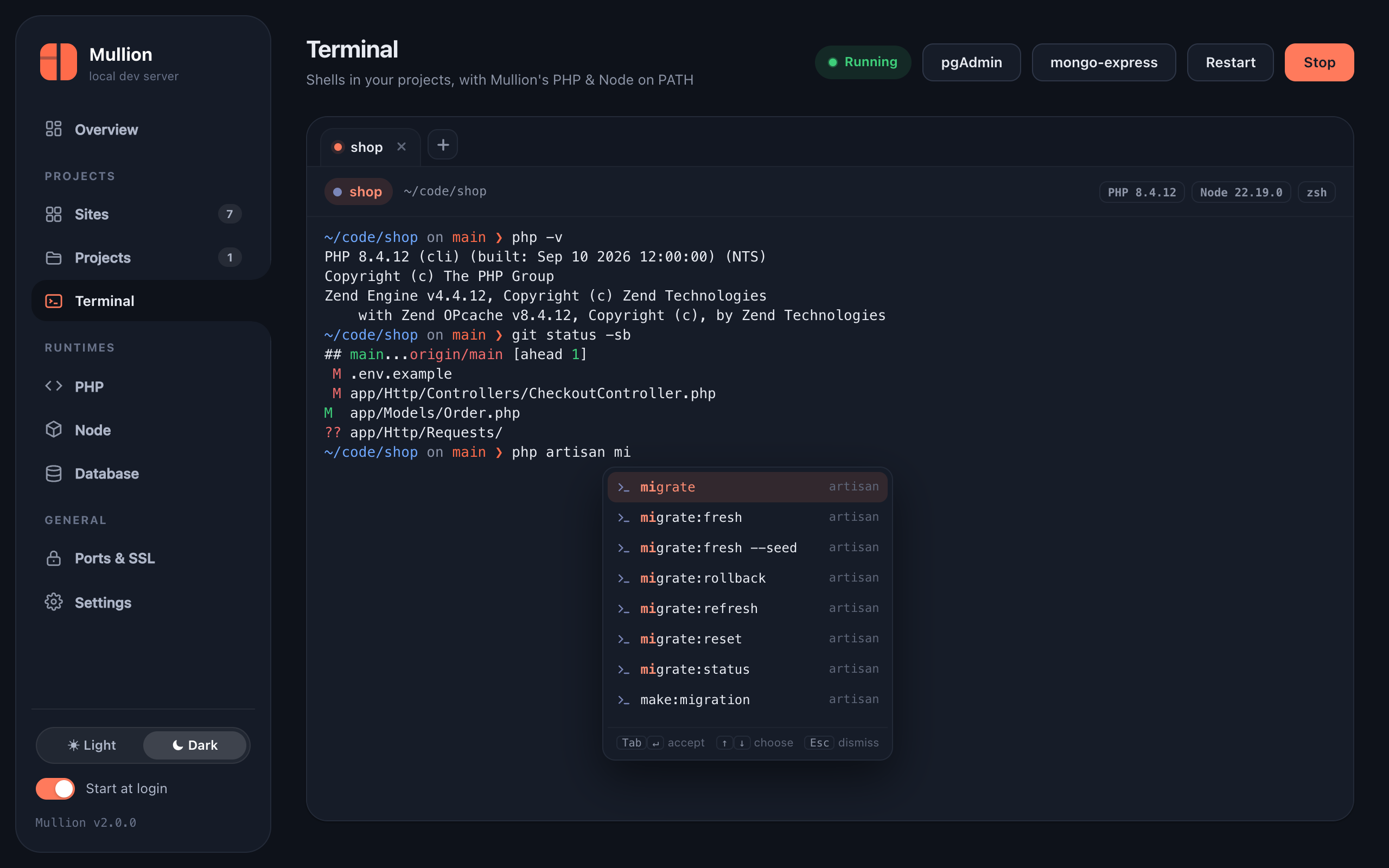
A terminal that knows your project

Every project terminal opens in the project folder with its PHP, Node and Composer first on PATH. As you type it suggests paths, npm and Composer scripts, artisan commands and Git branches; Tab or Enter accepts one.

Terminal →
The built-in terminal suggesting artisan migrate commands
Databases

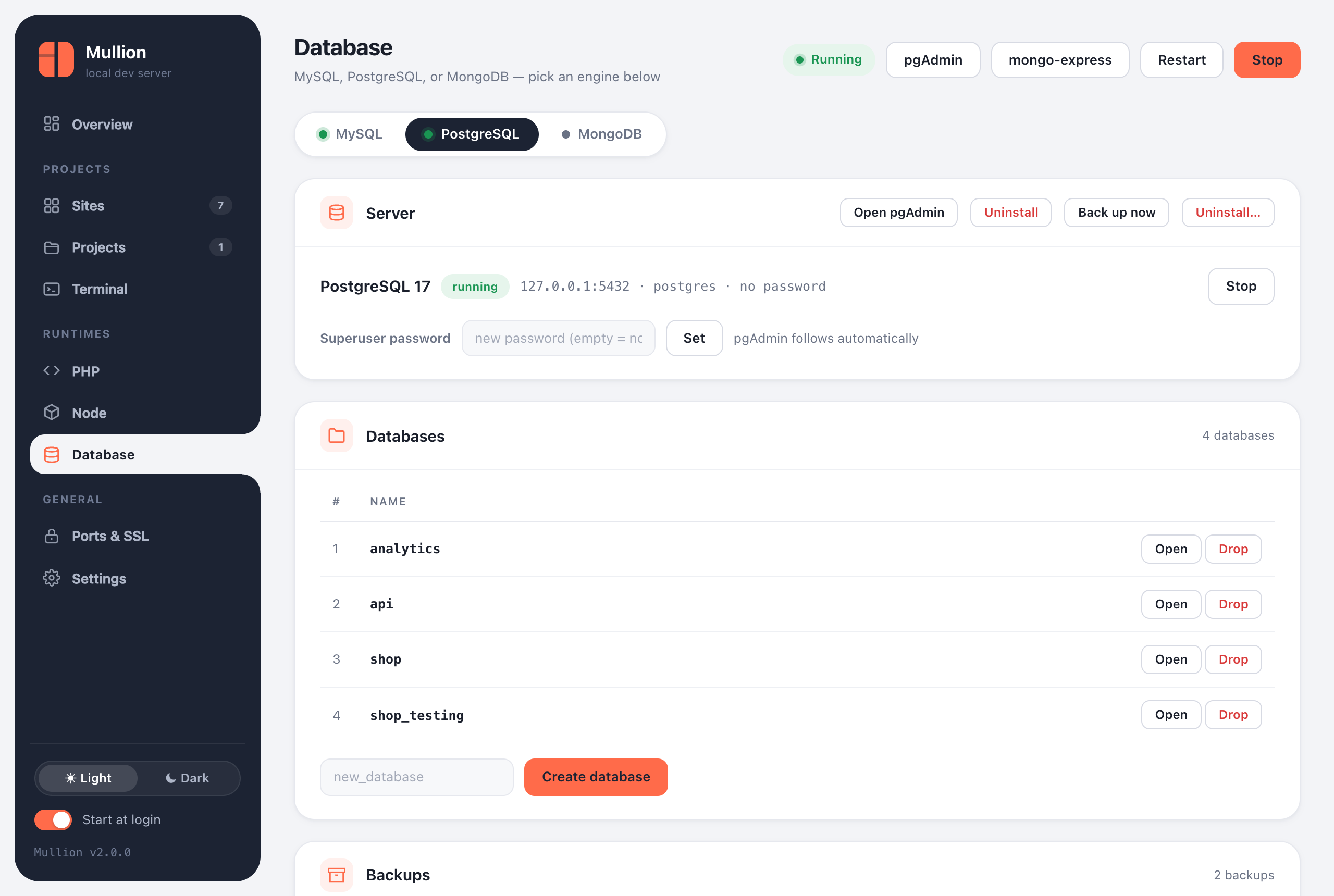
MySQL, PostgreSQL and MongoDB

Each engine installs, starts and stops on its own and comes with an admin tool that's already connected. Back up with one click, restore from the panel, and get a backup offered before any uninstall or version switch.

Databases →
The PostgreSQL tab listing databases
Install

Up and running in one command

mullion setup installs Caddy, the latest PHP, Composer, Node LTS and MySQL with phpMyAdmin, and trusts the local certificate. Re-running it is always safe.

$ brew tap anabiiil/tap
$ brew trust anabiiil/tap
$ brew install mullion
$ mullion setup

Without Homebrew: curl -fsSL https://raw.githubusercontent.com/anabiiil/mullion/main/install.sh | sh. Setup installs Mullion.app into Applications.

Link your first project

cd ~/code/shop && mullion link --secure → https://shop.test