 Mullion
Ports & SSL
See every port Mullion uses and who holds it, move ports that clash, and manage the local certificate authority and wildcard DNS.
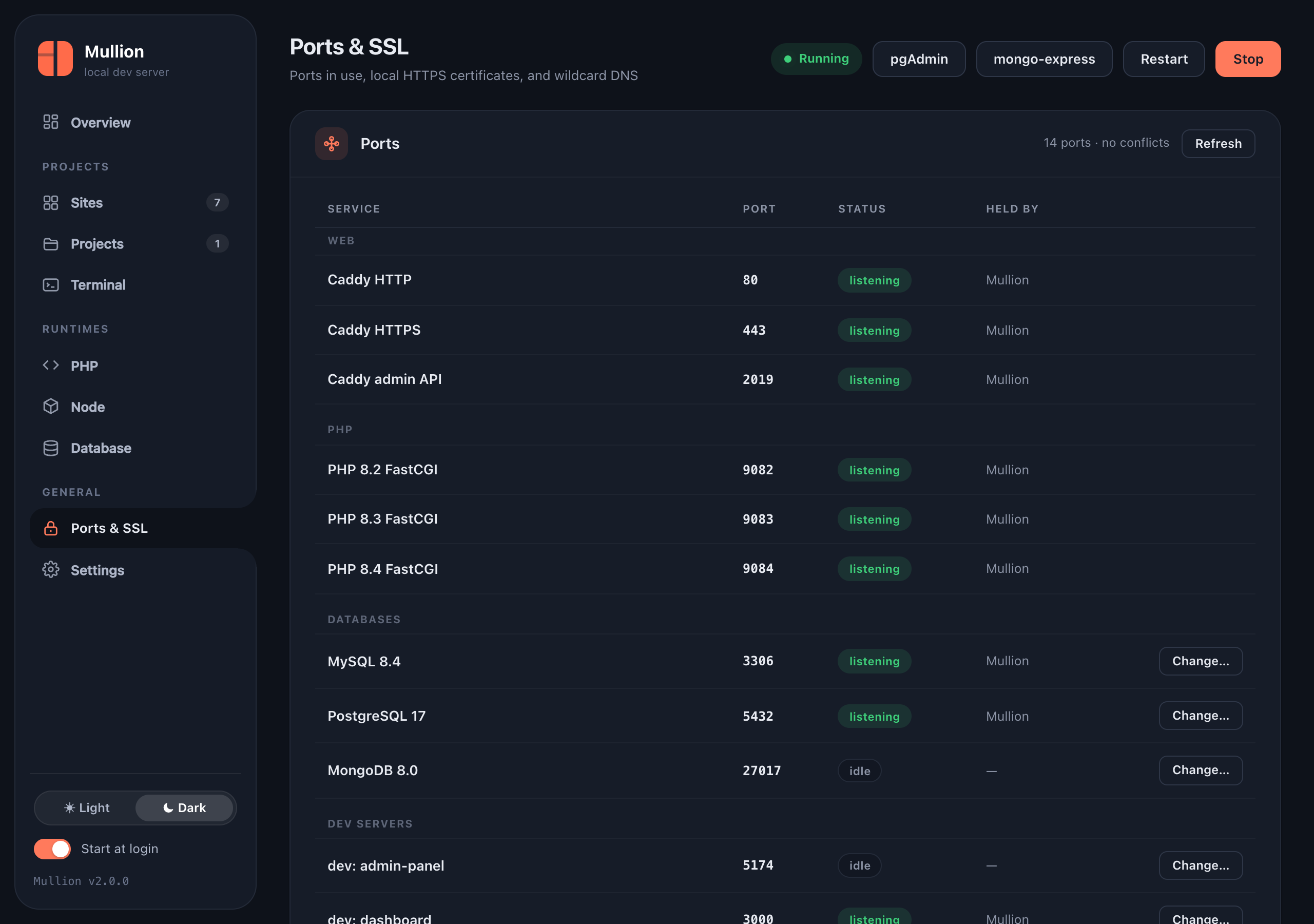
Ports
The Ports card, and mullion ports, list every port Mullion uses, with whether it's listening and which process holds it:
- Caddy HTTP and HTTPS (80 and 443) and its admin API (2019)
- the wake agent
- each PHP version's FastCGI port
- the database engines
- each frontend site's dev server
A port held by another program is flagged as a conflict, with that program's name and PID.
$ mullion ports
$ mullion port set mongo 27018           # move a database engine
$ mullion port dev storefront 3005       # give a dev server another port
Both commands, and the Change… buttons, check the new port. They refuse a port another process holds unless you pass --force, and they restart the service if it's running.
HTTPS certificates
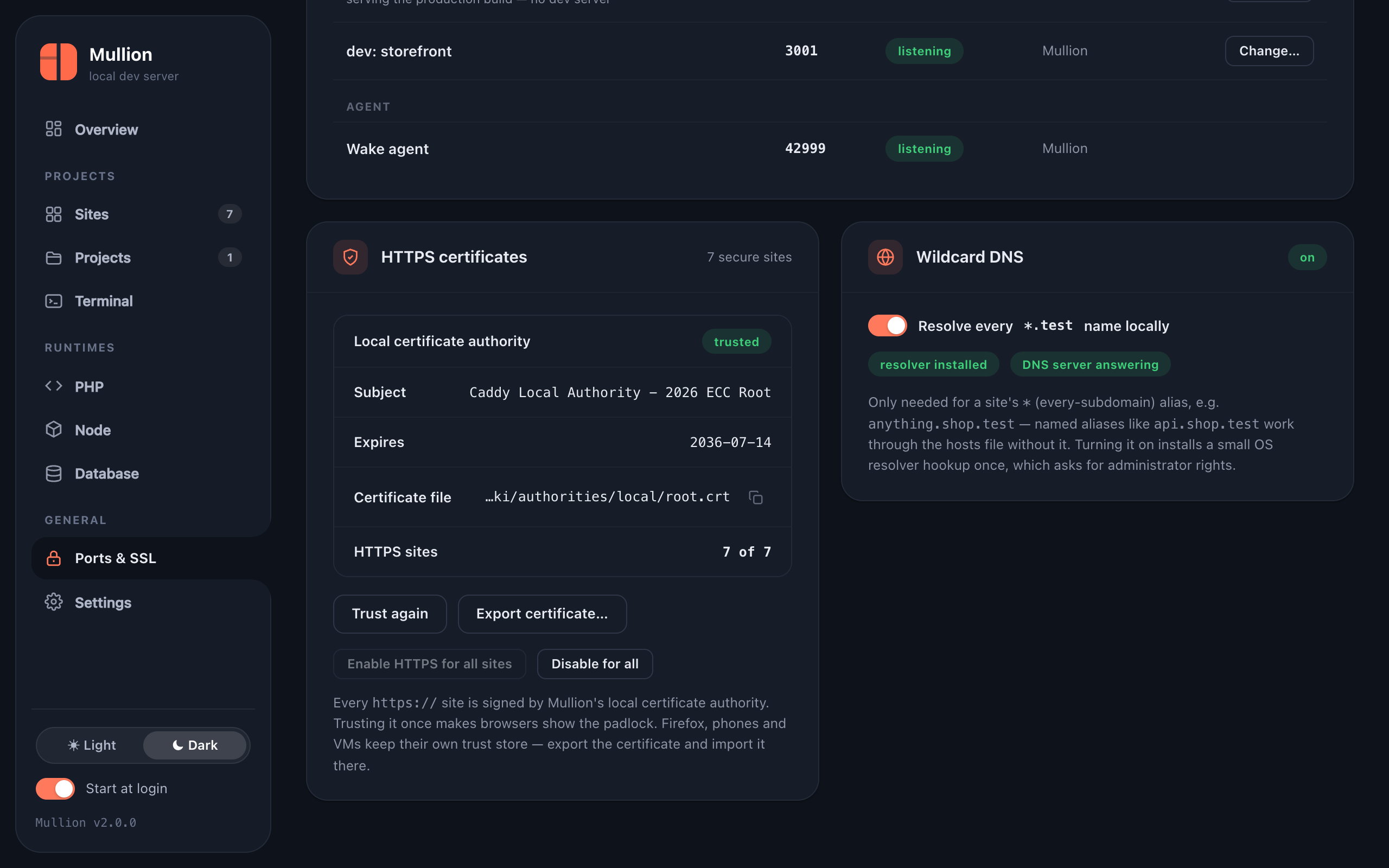
Every https:// site is signed by Mullion's local certificate authority, which comes from Caddy.
$ mullion ssl                   # CA details: file, subject, expiry, trusted?
$ mullion ssl trust             # add it to the system trust store (password / UAC)
$ mullion ssl export ~/ca.crt   # for Firefox, phones and VMs
$ mullion ssl all on            # HTTPS for every site ("off" for plain HTTP)
Firefox, phones and virtual machines keep their own trust stores. Export the certificate and import it in each of them.
Wildcard DNS
The Wildcard DNS card and mullion dns on|off|status manage the resolver that * aliases need. For how it works on each OS, see Sites & domains → Wildcard DNS.